Case Study 05
Brite: When an "ADHD-Friendly" App Isn't Friendly at All
The original design created friction instead of flow. This required stripping away complexity and rebuilding around how people actually plan their day.
Sep 2, 2025
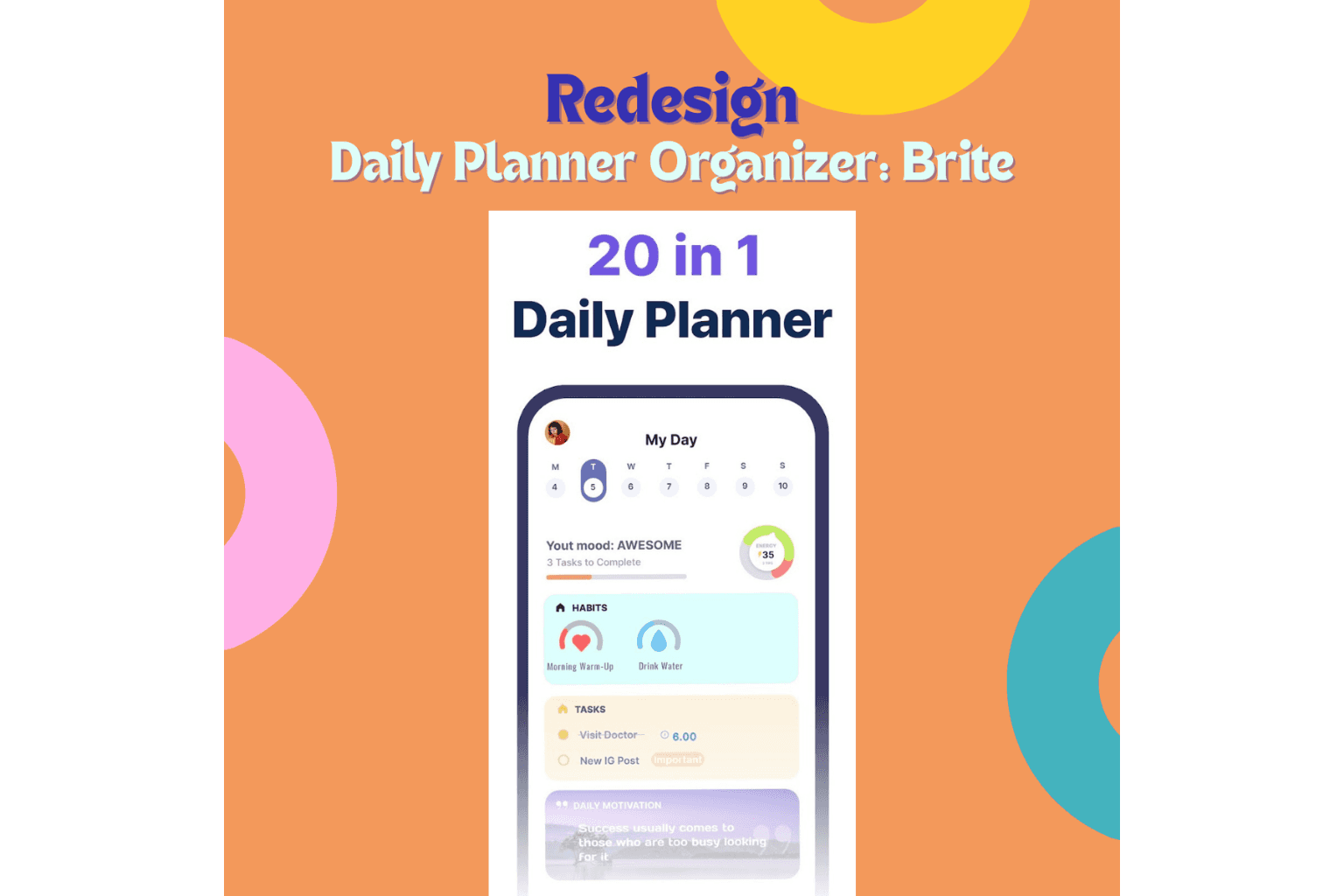
The Problem: Promising Help, Delivering Overwhelm
Brite marketed itself as an ADHD-friendly productivity app. Mood tracking, tasks, habits, motivation — all in one place.
On paper, it sounded perfect.
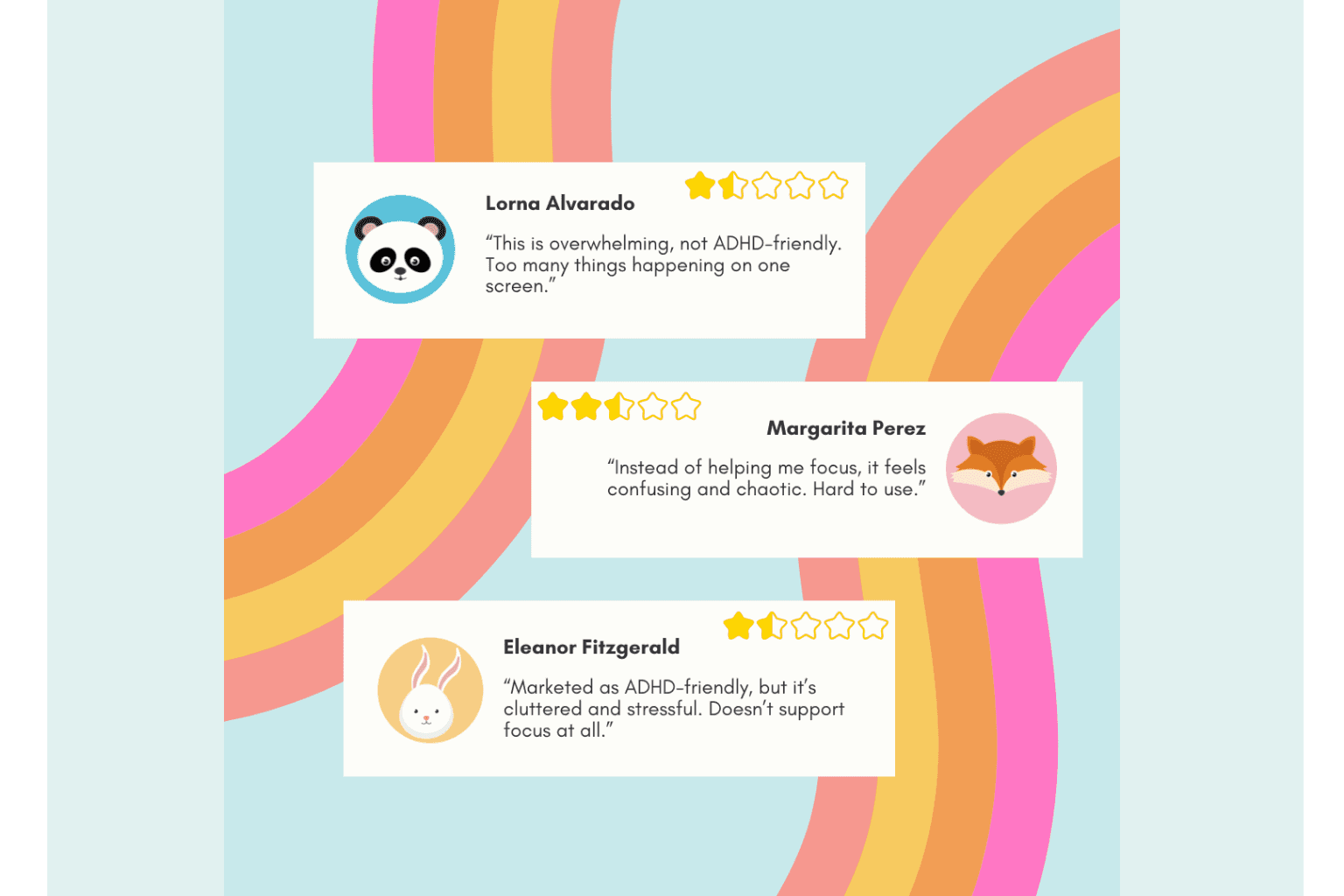
Then I looked at the reviews.
"Too overwhelming"
"Can't focus with all these colors"
"Gives me anxiety instead of helping"
"Ironically makes my ADHD worse"
The app had a 3.2-star rating. Users weren't just disappointed — they were actively struggling.
Here was an app designed to help people with ADHD stay organized, but the interface was doing the opposite: creating cognitive overload, visual chaos, and decision fatigue.
What users encountered:
A rainbow of competing colors with no hierarchy or purpose
Cluttered layouts cramming too much onto every screen
Visual noise that made it impossible to focus on one thing at a time
An "all-in-one" approach that felt more like "everything at once"
For people with ADHD — who already struggle with filtering distractions and managing overwhelm — this wasn't just bad UX. It was actively harmful to the very people it claimed to serve.
The disconnect was clear: Brite wanted to be ADHD-friendly, but didn't understand what that actually meant in practice.
What I Did: Strip Away the Chaos, Build in Calm
This was a self-initiated redesign. No client, but a clear mission: make Brite actually work for the people who needed it most.
Discovery: Listening to the Users Who Were Struggling
I analyzed user reviews on Google Play to understand where the experience was breaking down:
Common pain points:
"Too many colors" — the palette felt random and overwhelming
"Hard to know where to look" — no clear visual hierarchy
"Feels cluttered" — too much information competing for attention
"Gives me anxiety" — the opposite of what a productivity app should do
The insight:
Brite's design philosophy seemed to be "more features = more value" and "bright colors = energetic and motivating." But for users with ADHD, more often means overwhelming, and bright often means distracting.
What they actually needed was less, clearer, calmer.
The Redesign Strategy
I focused on two core problems: the color system and the layout structure.
1. Color System Overhaul
Before:
A wide variety of bright, competing colors — orange, pink, purple, blue, green, yellow — all at high saturation, all fighting for attention.
The problem:
For users with ADHD, this creates visual noise. Every color screams for attention, making it harder to focus on what actually matters.
After:
I introduced a calmer, more cohesive palette with fewer distinct hues:
Variations of light and dark shades from the same color families
Lower saturation across the board
Strategic use of color to guide attention, not grab it
Consistent tones that create harmony instead of chaos
The principle: Color should support hierarchy, not create competition.
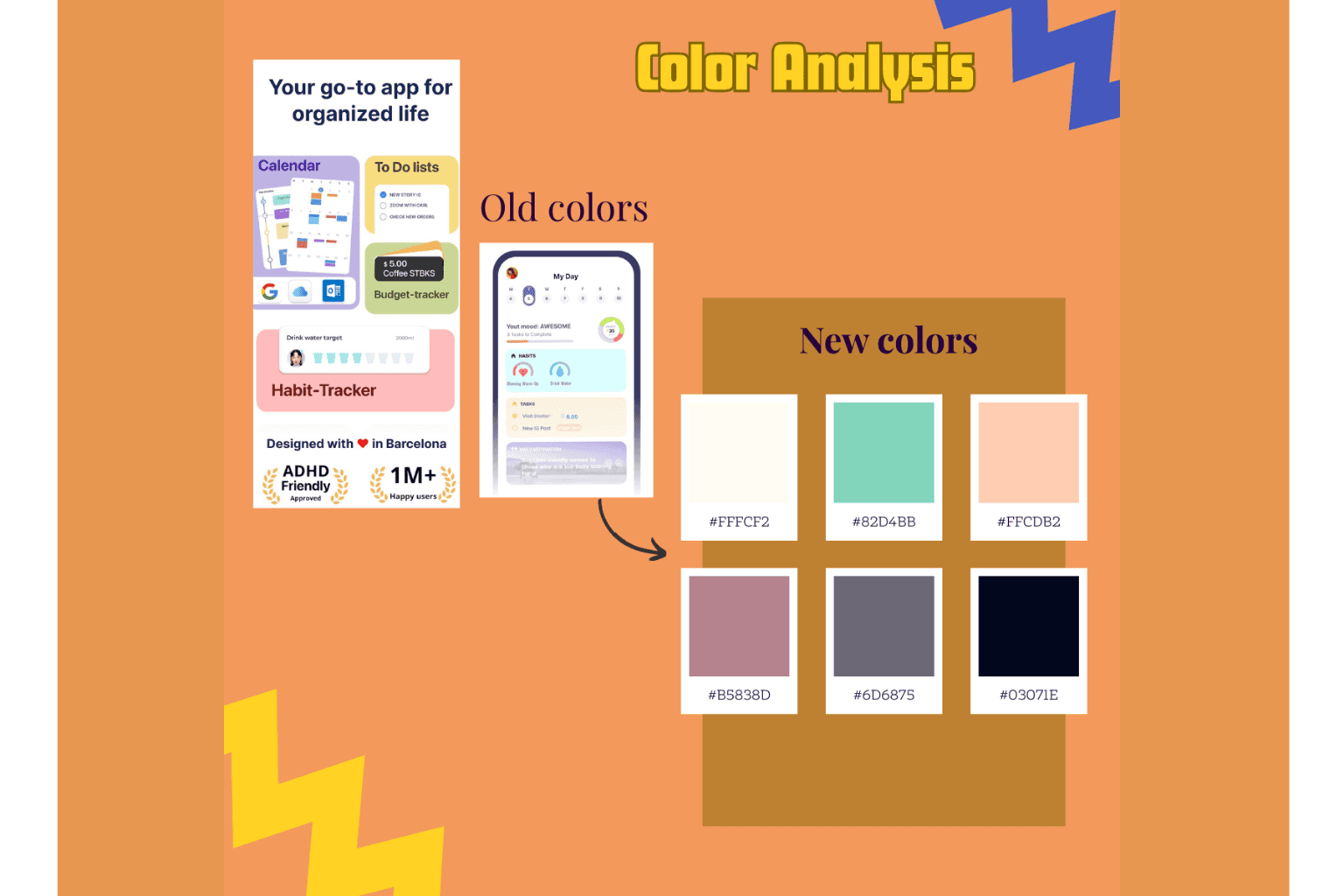
Color choice for the new design
2. Layout Restructuring
Before:
Dense screens with multiple widgets, sections, and information types all visible at once — mood tracker, task list, habits, motivation quotes, calendar view, all competing for space.
After:
Clear visual separation between sections using whitespace and subtle containers
Notebook-like background for familiarity and warmth without distraction
Simplified information density — showing less at once, making it easier to focus on one thing
Stronger hierarchy — using size, contrast, and spacing to guide the eye naturally
Breathing room — intentional white space that reduces visual overwhelm
The principle: One thing at a time. Clear focus. Calm progression.
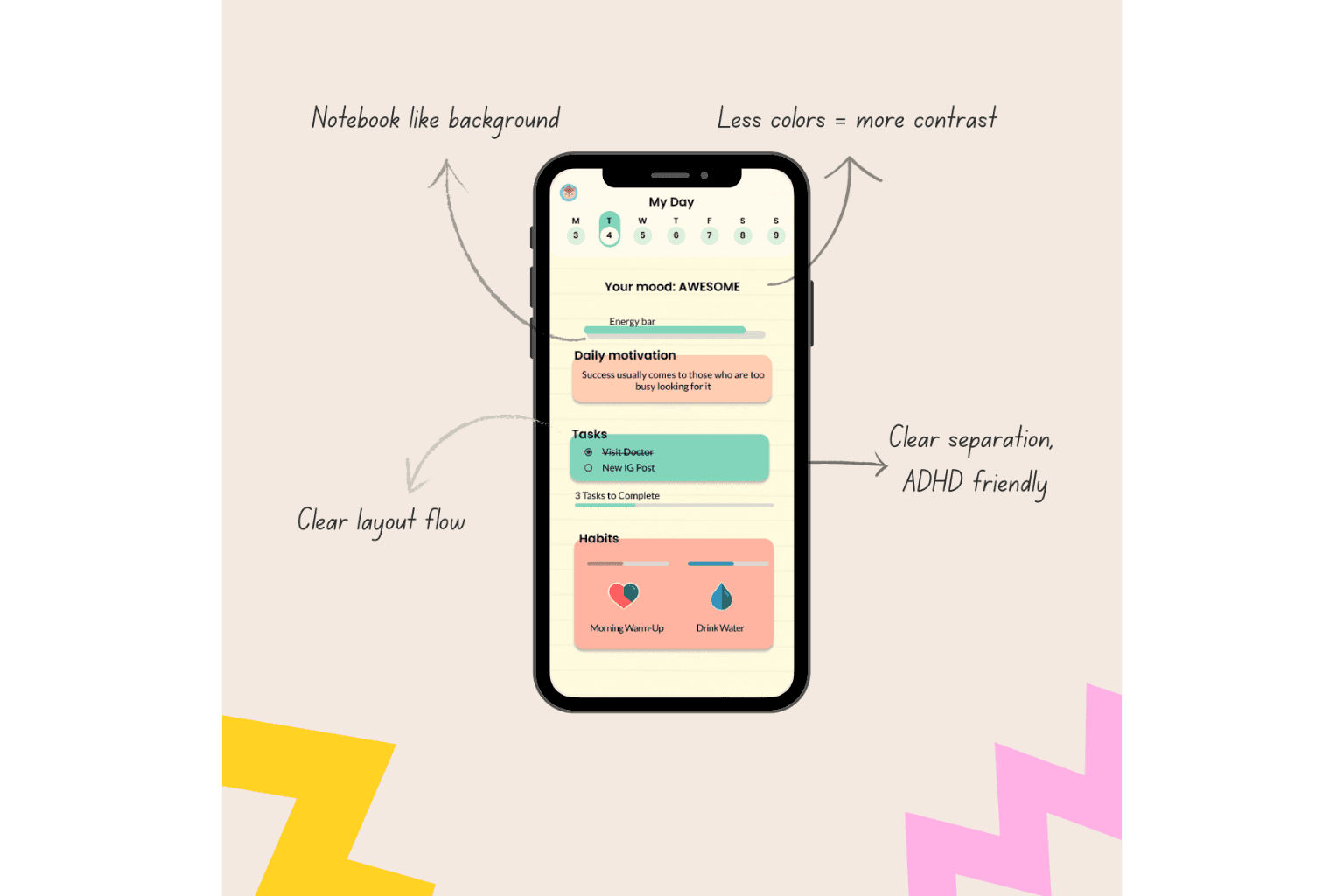
New UI for the dashboard
The Resolution: From Overwhelming to Actually Helpful
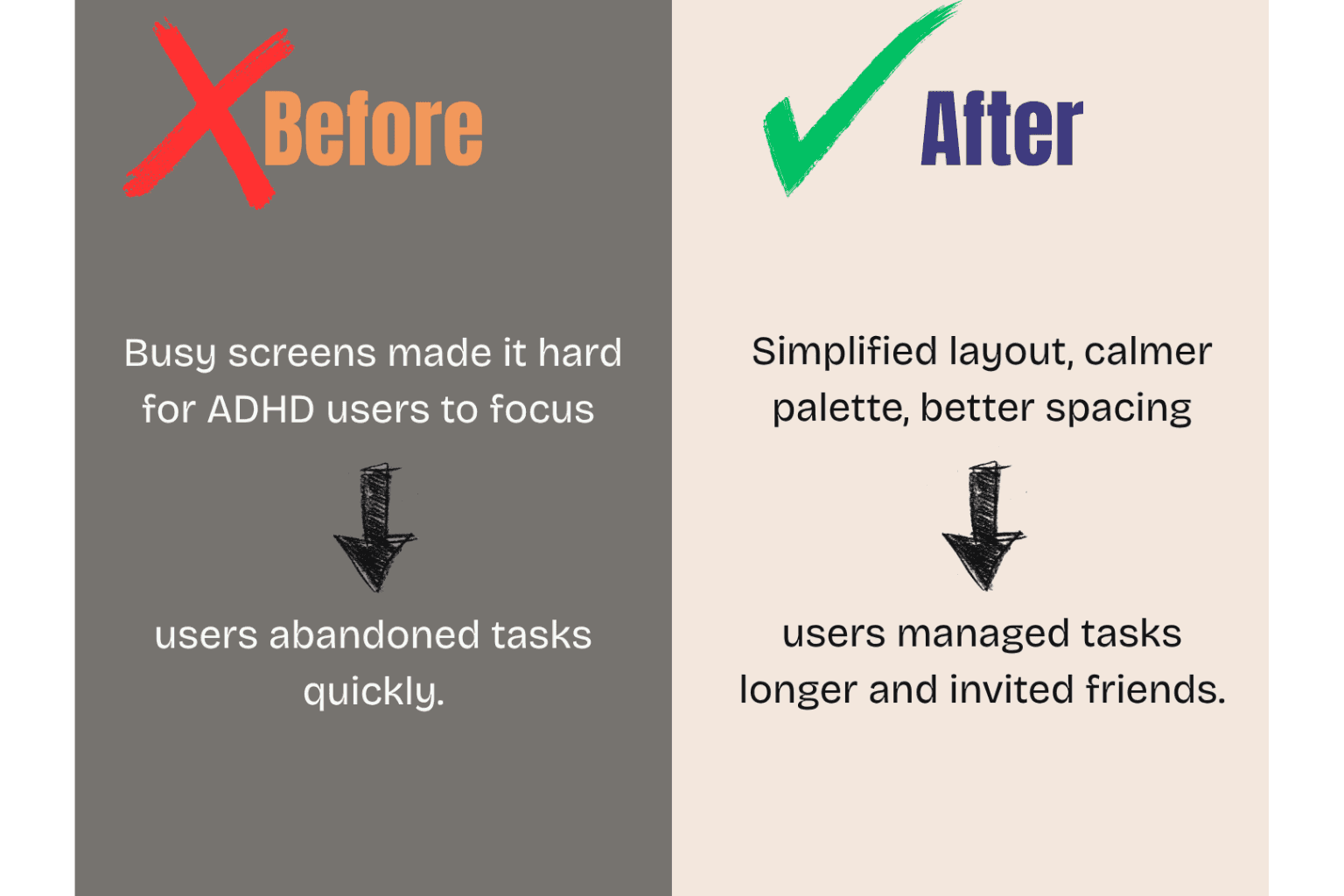
Before
Chaotic color system with no purpose or hierarchy
Cluttered layouts cramming too much onto every screen
Users reporting anxiety, overwhelm, and inability to focus
3.2-star rating with reviews describing the opposite of "ADHD-friendly"
After
Calm, cohesive color palette that guides without overwhelming
Simplified layouts with clear separation and breathing room
Visual hierarchy that helps users focus on one task at a time
An interface that actually supports the ADHD brain instead of fighting it
The Transformation
Same core features. Same functionality. But a completely different experience.
The shift:
From visual chaos → visual calm
From competing for attention → guiding attention
From "everything at once" → "one thing at a time"
From claiming to be ADHD-friendly → actually being ADHD-friendly
What This Redesign Proves
1. "ADHD-friendly" isn't just a marketing term
It requires understanding how ADHD brains process information — and designing specifically for reduced cognitive load, clear focus, and minimal distraction.
2. More features ≠ better experience
Brite's "all-in-one" approach was well-intentioned, but without careful design, it became "all at once" — overwhelming instead of helpful.
3. Color is a tool, not decoration
Random bright colors don't make an app energizing — they make it exhausting. Strategic color creates hierarchy and guides focus.
4. User reviews tell you what's actually happening
The gap between Brite's marketing ("ADHD-friendly") and user reality ("makes my ADHD worse") revealed exactly what needed fixing.
What I Learned
Designing for neurodivergence requires specific, intentional choices:
Visual hierarchy isn't optional — it's essential
Cognitive load needs to be actively managed, not accidentally created
Calm doesn't mean boring — it means purposeful
What seems "energetic" to neurotypical designers might be "overwhelming" to ADHD users
The best test of accessibility: Would someone with the condition you're designing for actually find this helpful? If user reviews say no, the design has failed — regardless of how it looks.
The Bigger Picture
Brite had good intentions. It wanted to help people with ADHD stay organized and motivated.
But good intentions don't matter if the execution creates the opposite effect.
This redesign isn't about making Brite look better. It's about making it work for the people it was supposed to serve.
When you design for accessibility — really design for it, not just market toward it — you create tools that genuinely improve people's daily lives.
That's what design should do.