Case Study 01
The Limits of AI-Generated UX
A UX case study on why an AI-designed tax app failed real user needs.
Dec 1, 2025
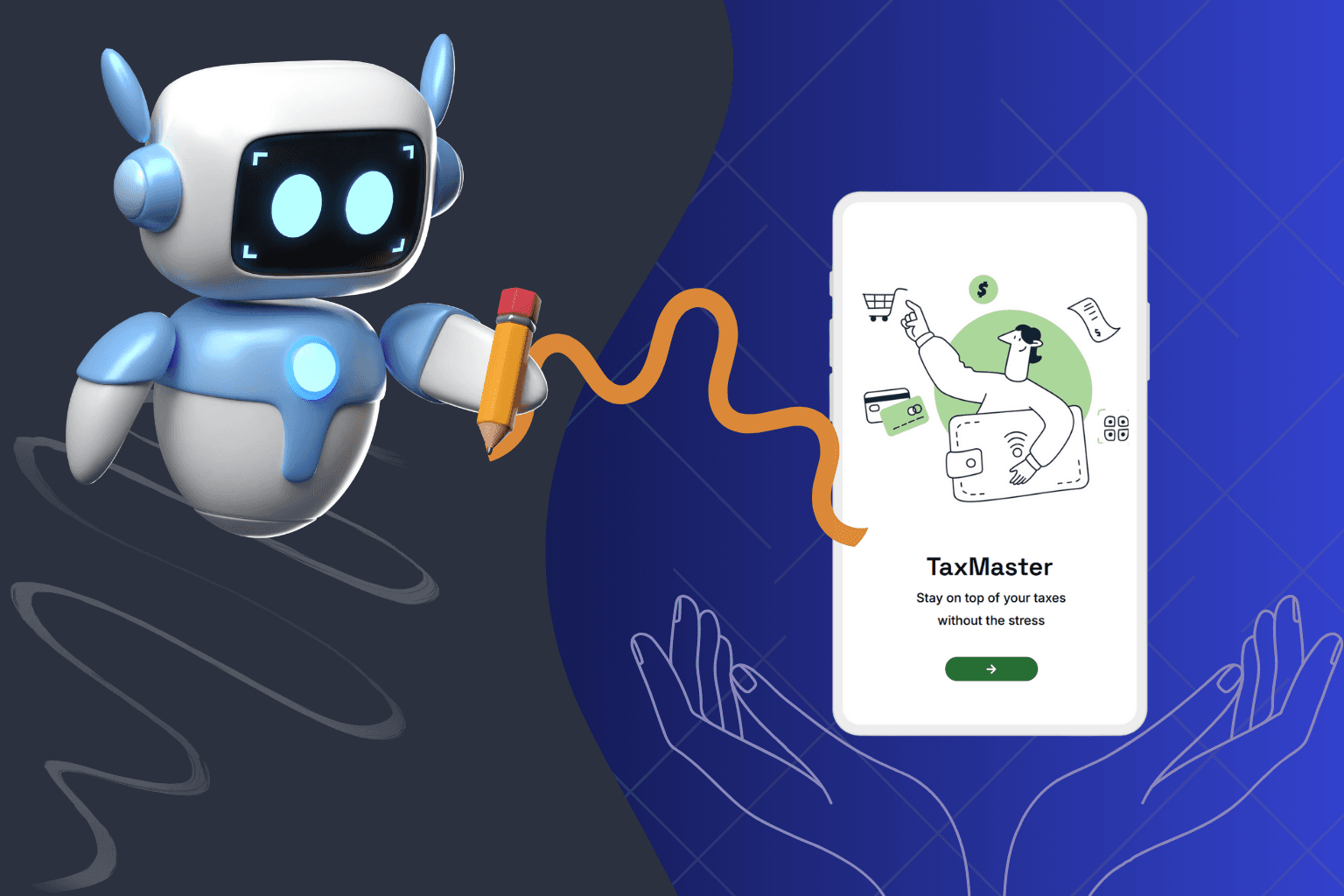
The best AI tool for UI on the market - so why did this tax app still fail the user?
This UX case study examines why an AI-generated tax interface can look complete, yet still fail users - even when built with one of the most recommended AI UI tools on the market.
Method
To evaluate how AI handles UX fundamentals by default, I used Uizard.io with a minimal prompt and made no manual design decisions.
The tool generated a complete tax interface within one minute.
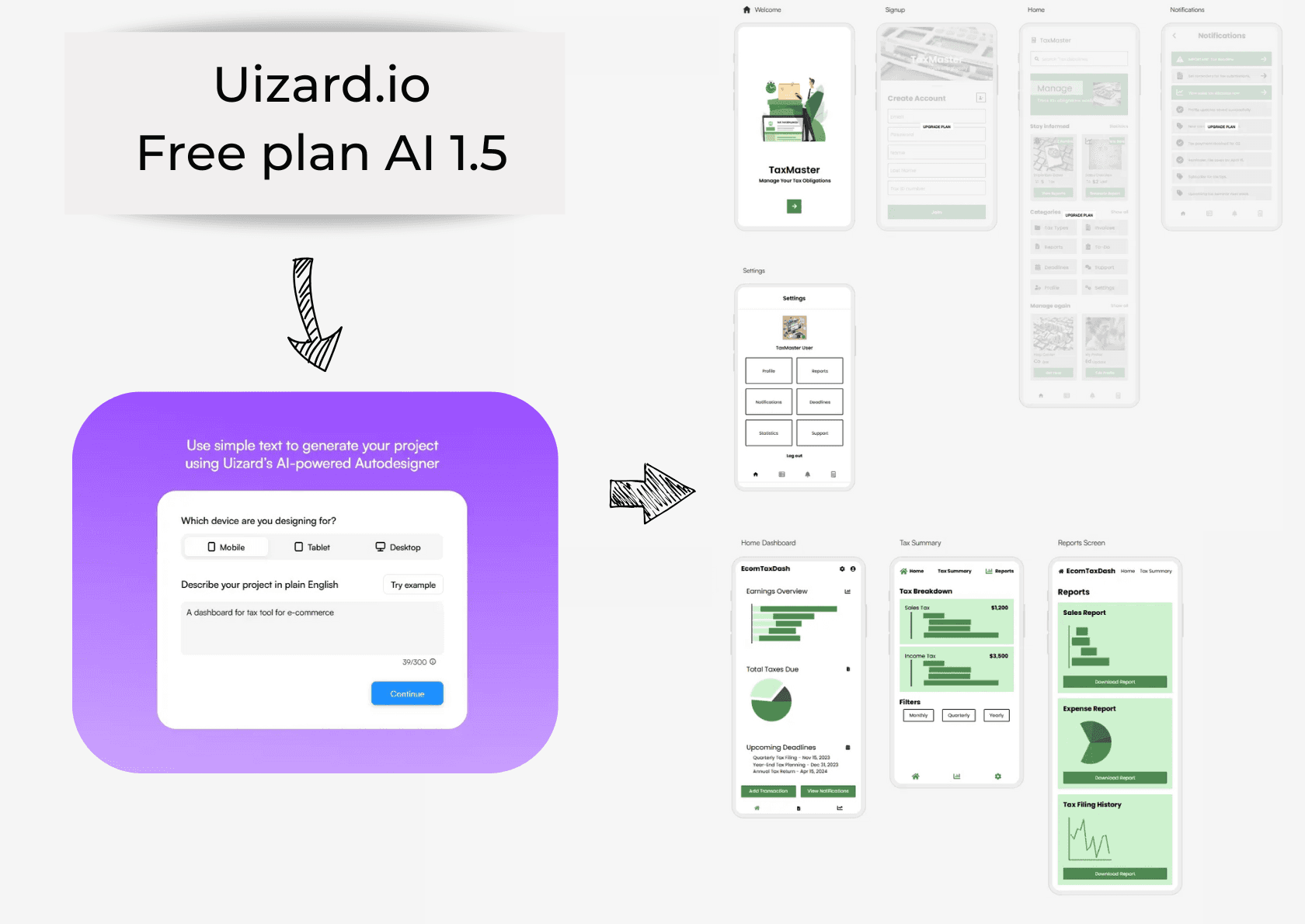
Source Uizard.io/ Mockup
The first thing I notice: I’m reading, but I’m not understanding.
Finding 1: AI-generated copy breaks clarity and meaning
Users are presented with complete sentences, but no actionable understanding. When prompted to improve copy, the AI increases linguistic variation instead of clarifying intent — resulting in longer, more bureaucratic language.
This suggests the AI treats UX writing as language generation, not user guidance.
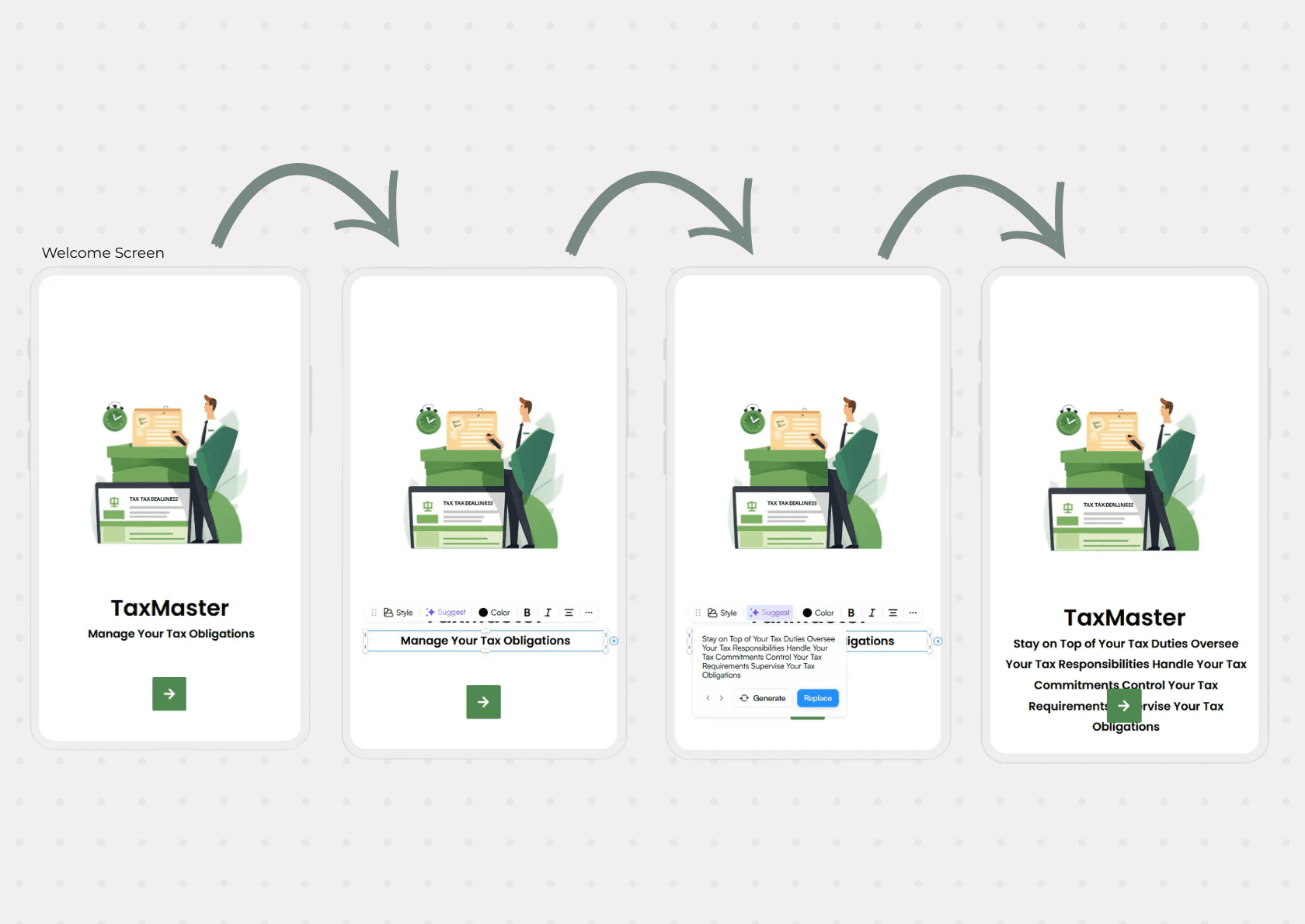
Source Uizard.io / Welcome Screen Tax App Origina
Finding 2: AI-generated screens lack hierarchy and trust
While the copy creates confusion at a semantic level, the layout reinforces that confusion visually - resulting in an interface that feels flat, chaotic, and untrustworthy, which is especially risky for a financial product.
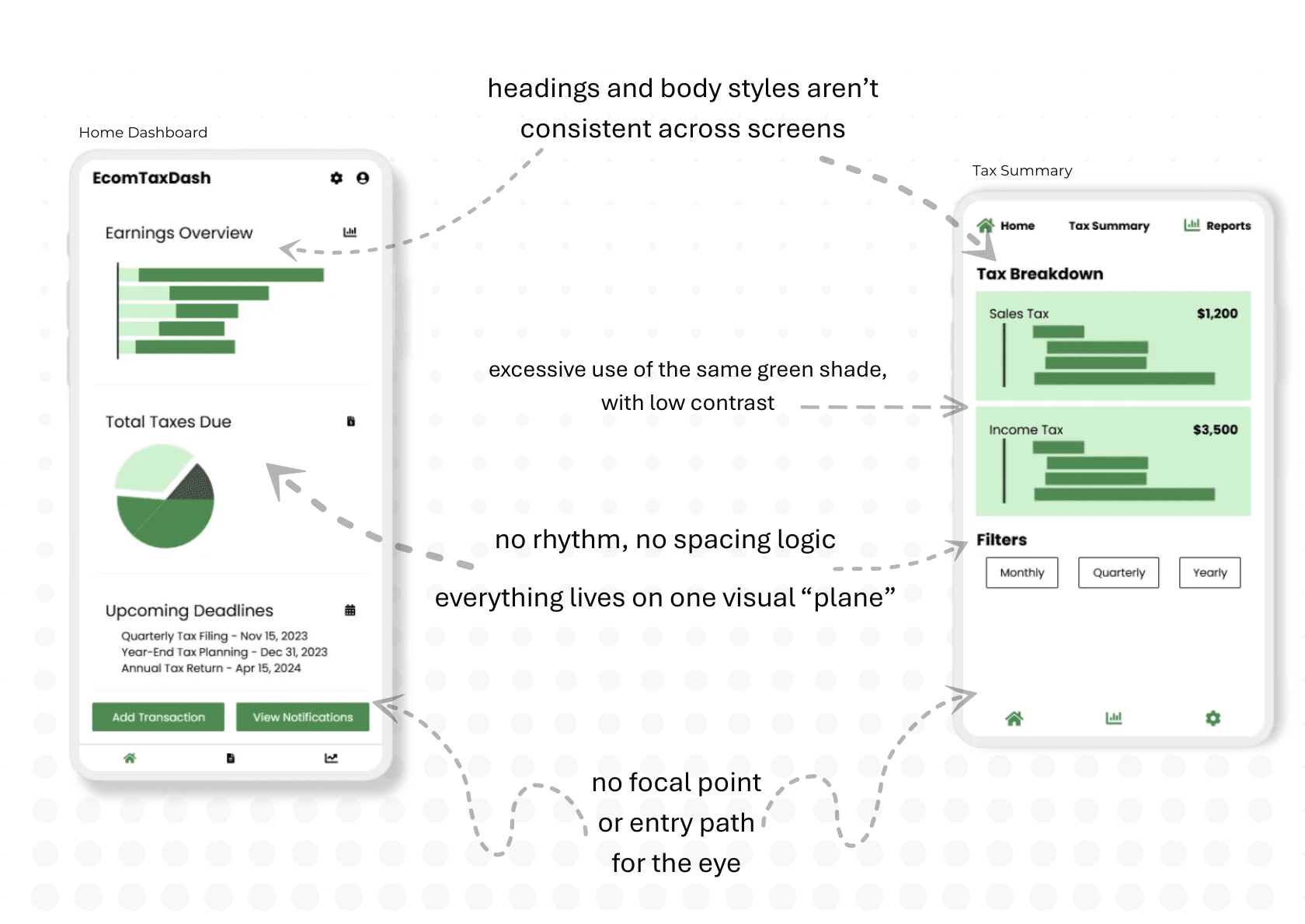
Source: Uizard.io / Home Dashboard Tax App Original
Finding 3: AI-generated illustrations undermine credibility
In financial products, illustrations act as trust signals. The AI-generated visuals introduce inconsistency and visual noise, weakening perceived precision — an especially critical risk in money-related products.
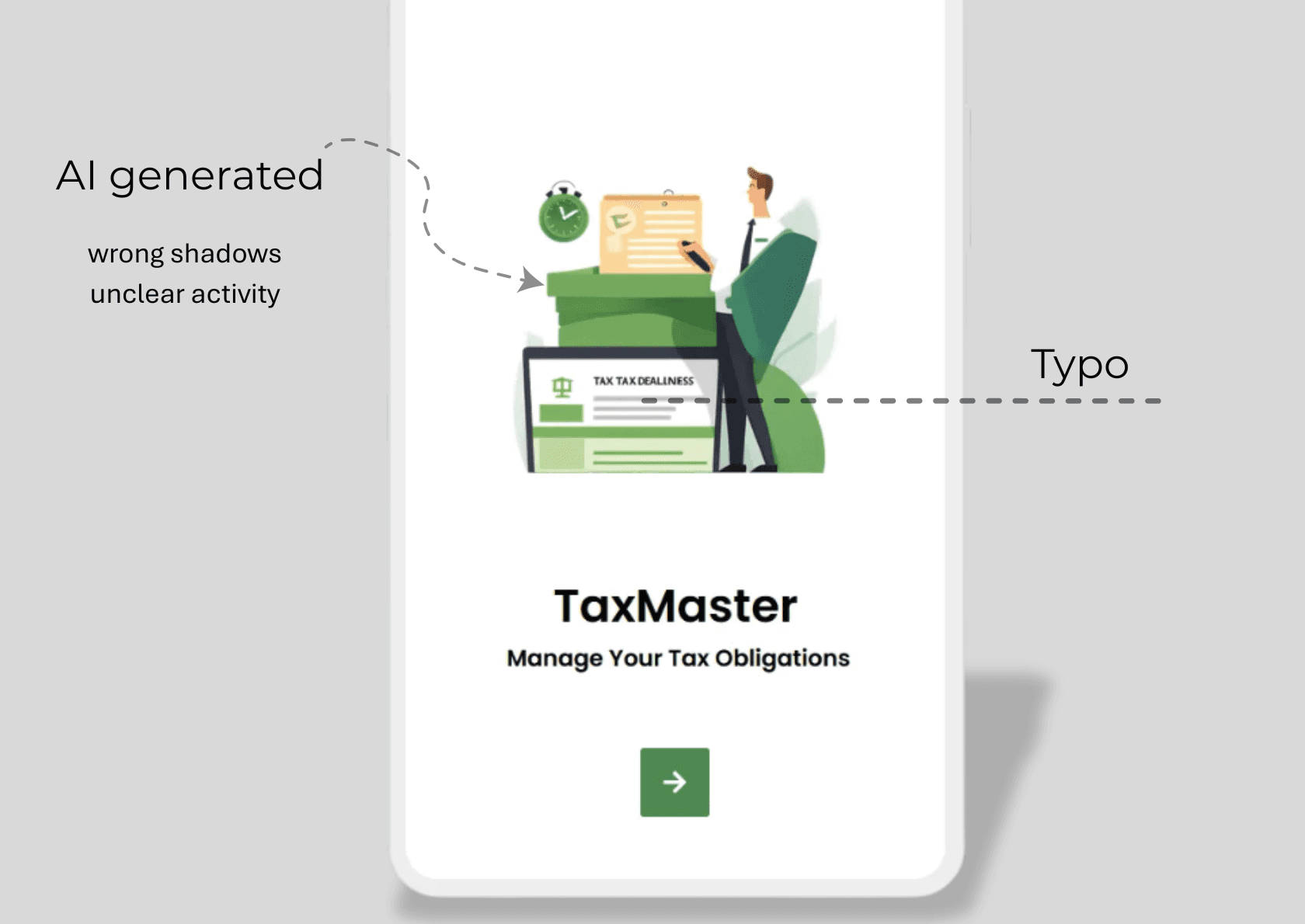
Source: Uizard.io / Welcome Screen Tax App Original
In a tax product, clarity and trust are not optional—they are the product.
AI can generate interfaces, but it lacks semantic judgment - the ability to align language, structure, and visuals around user intent.
Why illustrations and visual assets matter
In financial products, visuals function as trust signals. Precision, consistency, and hierarchy reassure users that the system is competent and reliable.
If the visuals feel unreliable, the product feels unreliable.
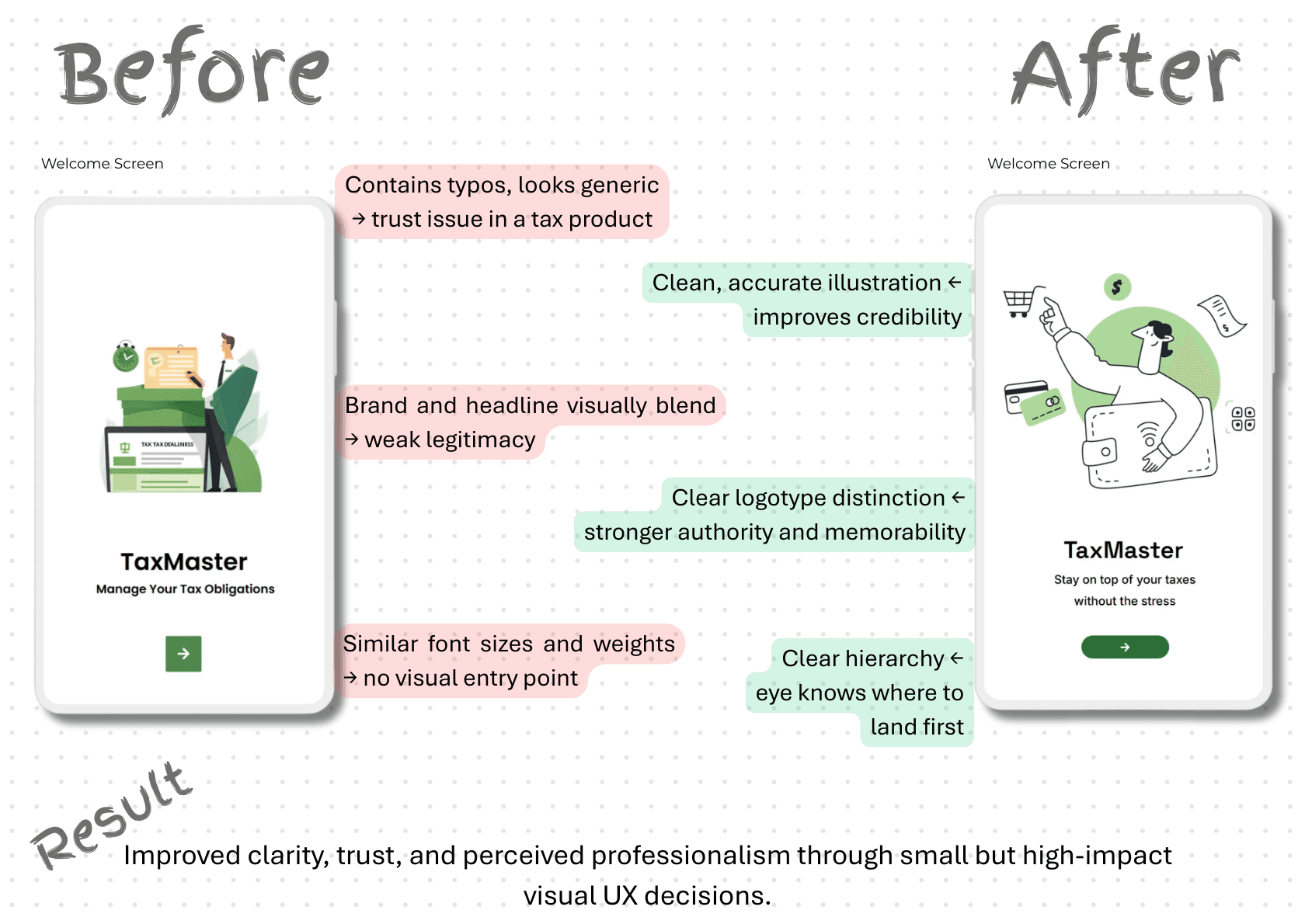
Source: Uizard.io / Welcome Screen Tax App Redesigned Suggestion
Why visual hierarchy matters
Hierarchy is not decoration-it’s how users understand:
where to start,
what matters most,
and what the system expects from them.
A flat hierarchy forces users to interpret importance on their own. In a tax context, this increases cognitive load and uncertainty - the opposite of what users need when dealing with financial decisions.
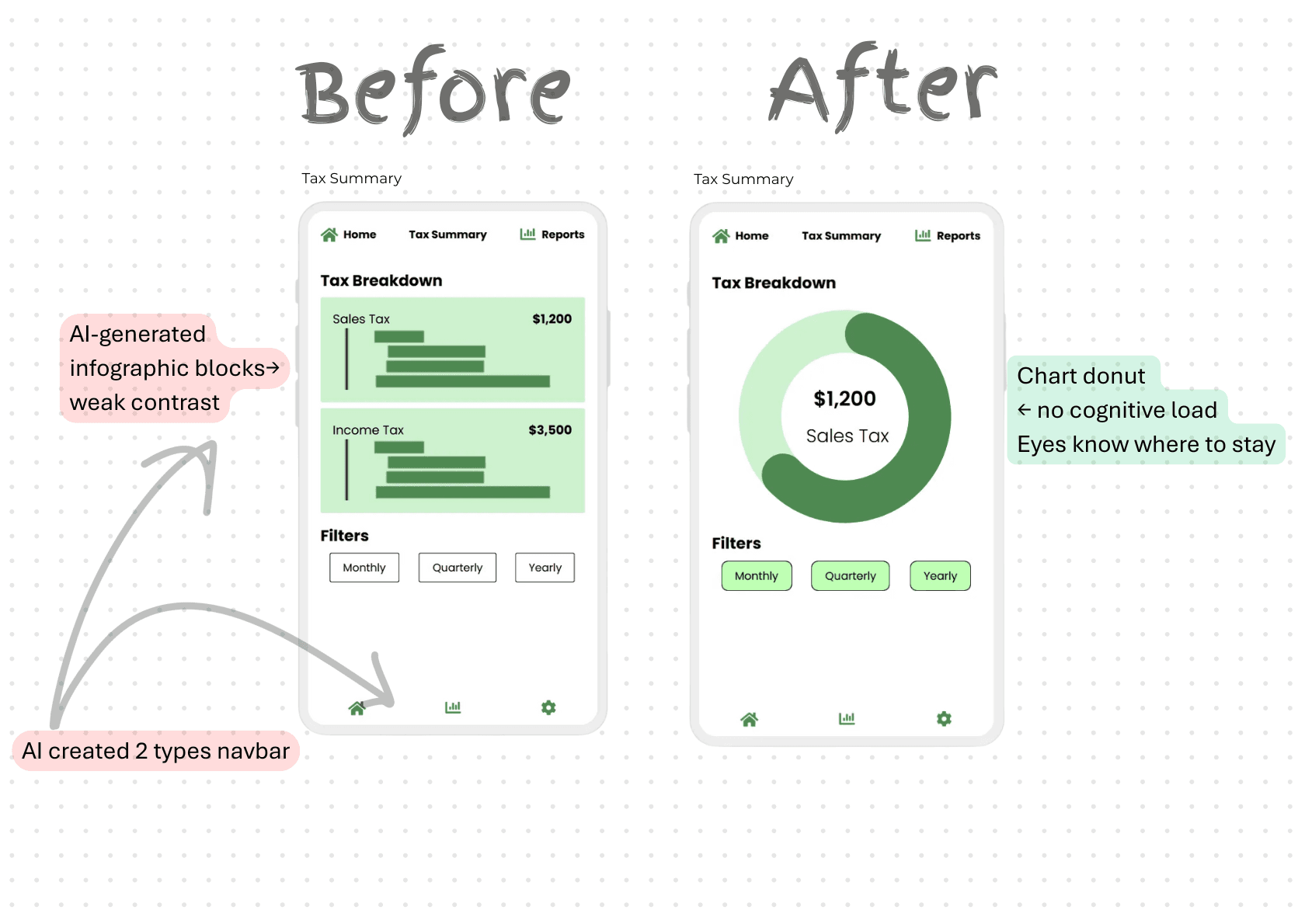
Source: Uizard.io / Tax Summary Tax App Redesigned Suggestion
Visual hierarchy & clarity (Tax Breakdown screen)
This redesign is a conceptual improvement, not a final solution.
The goal was to test how clearer hierarchy and familiar visual patterns improve comprehension.
Instead of AI-generated infographic blocks, the tax breakdown is represented through a simple donut chart.
This immediately communicates proportion, focus, and current state without requiring interpretation.
By highlighting one tax type at a time, the interface answers the user’s first question faster:
What am I looking at right now?
Why this works better for users
The chart establishes a clear focal point
The amount is visually anchored to its meaning
Cognitive load is reduced by removing decorative noise
In a tax context, this supports faster comprehension and more confident decision-making.